Chrome extension
Record browser audio and split tracks
Record the sound playing in your current browser tab. Listen to the recording, adjust its start and end, and download an MP3 — or send it for vocal and instrumental separation.
Coming soon to Chrome Web Store. Chrome 127+ on desktop.
Three steps
How to process your song
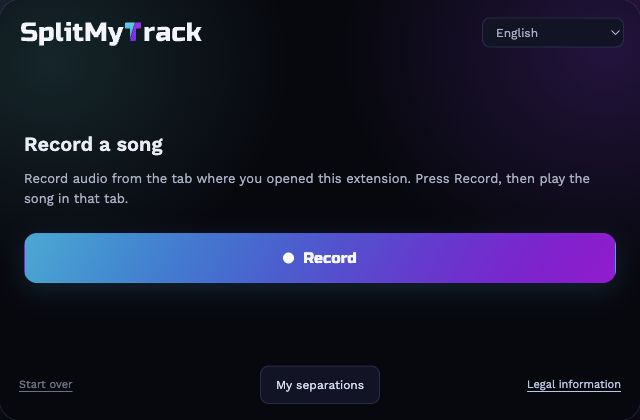
- Record a songRecord audio from the tab where you opened this extension. Press Record, then play the song in that tab.
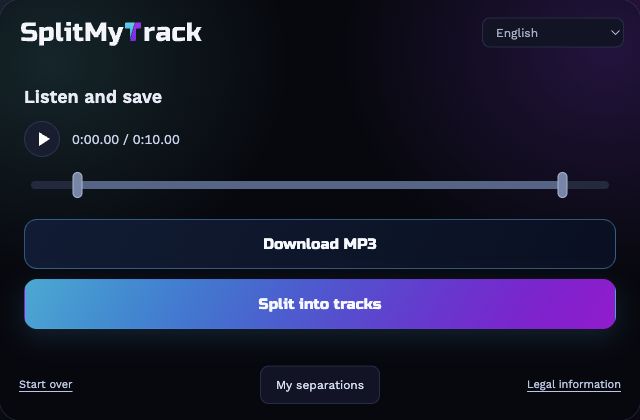
- Listen and saveListen and use the start/end sliders to keep the part you need.
- Split into tracksChoose your separation settings and click Process. Once processing starts, this tab will close. Find the result in the extension and Downloads.
Privacy
Chrome extension
Recording starts only when you choose it. The microphone and other tabs are not recorded. Audio stays on your device until you click Split into tracks. Splitting is processed on the service's servers, not on your device. After a job is registered, the website tab closes automatically; the extension waits for the result, downloads a ZIP and notifies you after saving it.
Results are temporary. Download your ZIP to keep a copy.